你可以把内容分散在不同的库中,一个库是一组书。 库的访问权限也可以仅限于特定用户。

每个库都有一个根目录,任何库都不能共享他们路径的任何部分。

例如,如果你有一个库的根路径为 /books/mangas,你不能创建一个根路径为 /books 的库,因为两个根路径将会重叠。 然而,你可以创建一个根路径为 /books/comics 的库。

创建库

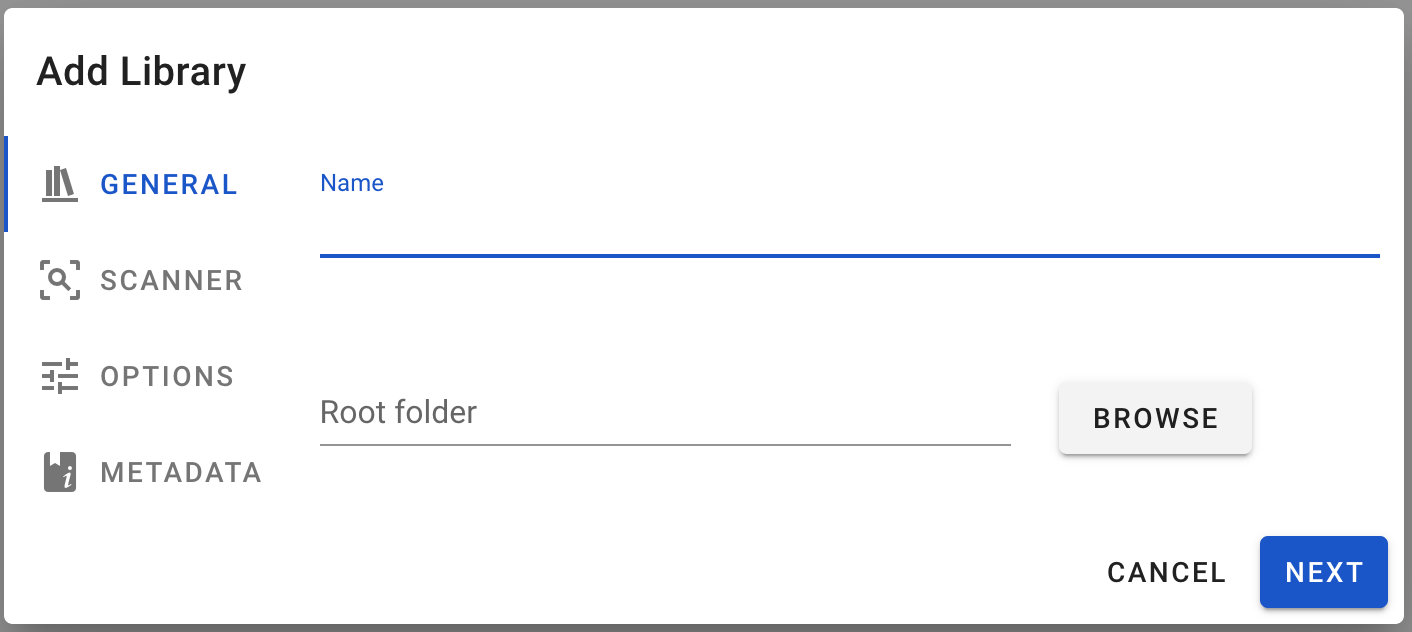
从网页界面:

  • 点击边栏中 旁边的 + 图标
  • 为你的库选择一个 名字
  • 点击 浏览 按键并选择一个包含你书的根文件夹
  • 点击 添加
Add Library Dialog

你也可以指定额外的选项。

扫描器

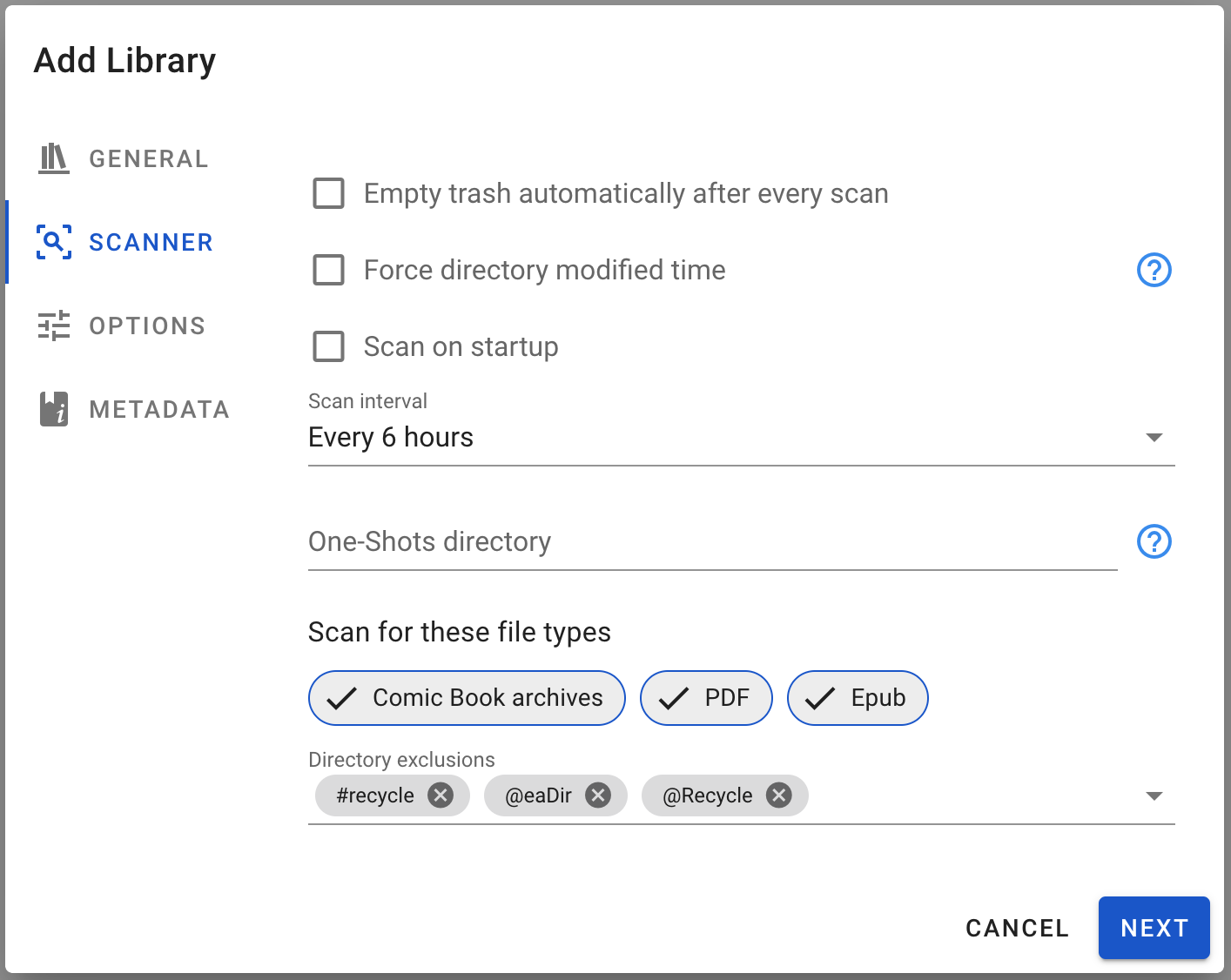
Add Library Dialog Scanner

每次扫描后自动清理垃圾

See Emptying library trash.

强制目录修改时间

This will force the last modified time of a directory as the maximum from its own last modified time and the last modified time from all the books inside the directory. This should be used only if your filesystem does not update the last modified time of a directory when files inside it are modified (Google Drive for instance).

启动时扫描

If enabled, the library will be scanned when Komga starts.

扫描间隔

Choose to scan all of your libraries on a time-based interval. Choose the interval to use from the dropdown. Available frequencies:

  • 禁用
  • 每小时
  • 每隔 6 小时
  • 每隔 12 小时
  • 每日
  • 每周

The scan interval is based on when Komga started, or when you changed that setting for the library. For instance, if you have it set to “every 6 hours” and you start your server at 12:35, then a scan will be started around 18:35.

One-Shots directory

See One-Shots.

扫描文件类型

This will configure the scanner to only look for files with specific file extensions. Available types:

  • Comic Book archives: cbz, zip, cbr, rar
  • PDF: pdf
  • Epub: epub

目录排除

You can specify any pattern to exclude directory subtrees from the scan.

Any directory for which the full path contains any of the configured patterns will be ignored during the scan.

Patterns are checked against any part of the directory path:

  • #recycle will match on:
    • /data/books/Comics/#recycle
    • /data/books/Comics/My weirdly named #recycle comic
tip

To match only directories starting with the provided string, prefix the pattern with /, like /#recycle

选项

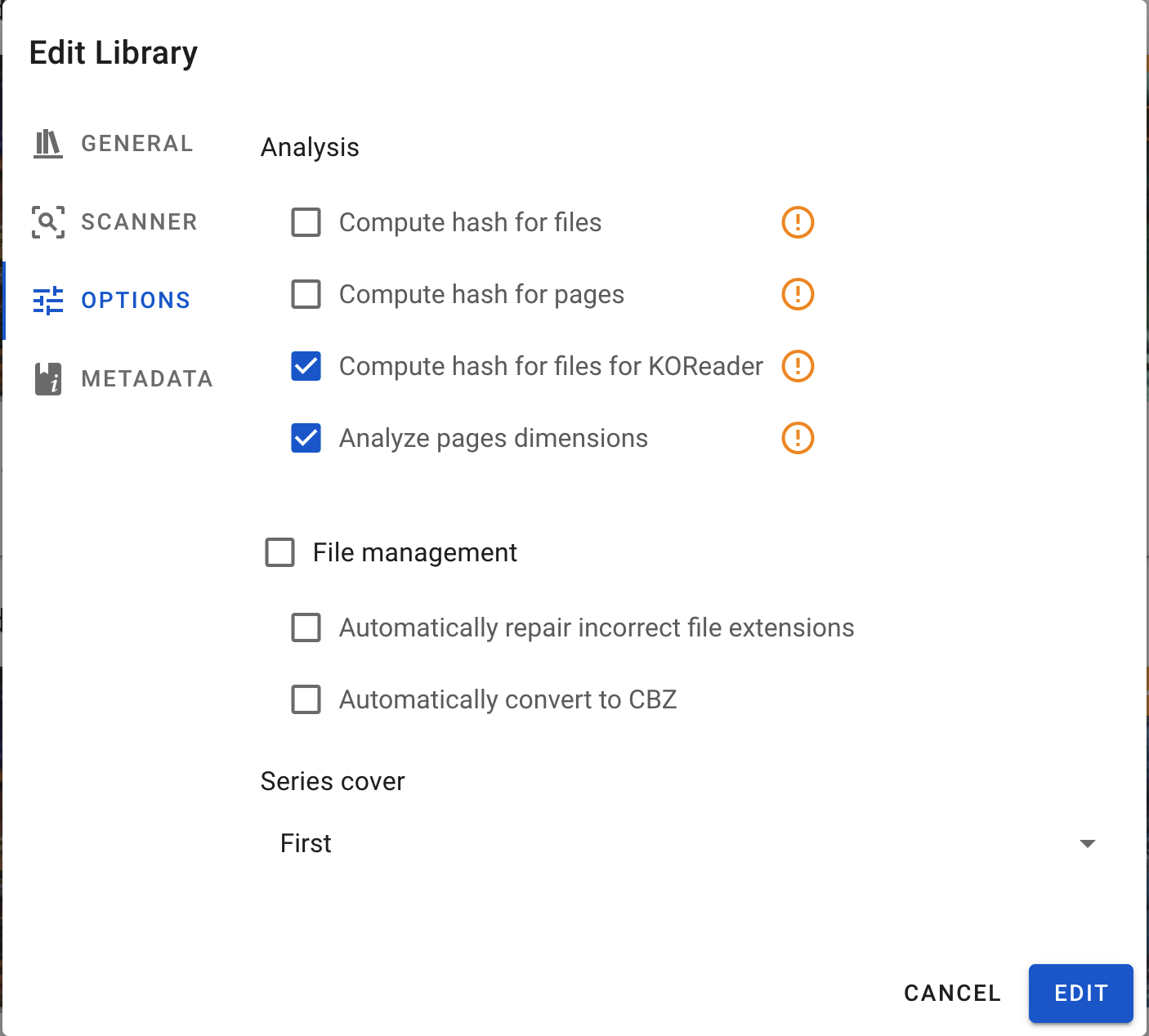
Add Library Dialog Options

分析

计算文件的哈希值

Komga will compute a filehash for your files. This is required for the "restore from trash bin" functionality to work, and to detect duplicate files.

大型库或老旧硬件上开启会消耗大量资源。

计算页面的哈希值

Komga will compute a filehash for the first and last 3 pages in each book (cbz only). Those are used to detect duplicate pages.

大型库或老旧硬件上开启会消耗大量资源。

计算 KOReader 文件的哈希值

Komga will compute a KOReader filehash for your files. This is required for the KOReader Sync functionality to work.

大型库或老旧硬件上开启会消耗大量资源。

分析页面尺寸

Komga will retrieve each page's dimensions (width and height). This is useful for:

  • properly displaying landscape pages in the web reader, when using double pages
  • comparing page dimensions in the "Import" dialog

大型库或老旧硬件上开启会消耗大量资源。

文件管理

自动修复不正确的文件扩展名

Files with an incorrect extension will be automatically renamed in the background. For example a zip file with a .cbr extension will be renamed to .cbz.

自动转换为 CBZ 格式

Books in rar/cbr format will be converted to cbz automatically in the background. The zip files are created with the DEFLATE method without compression.

系列封面

Choose which book cover is used for the series.

元数据

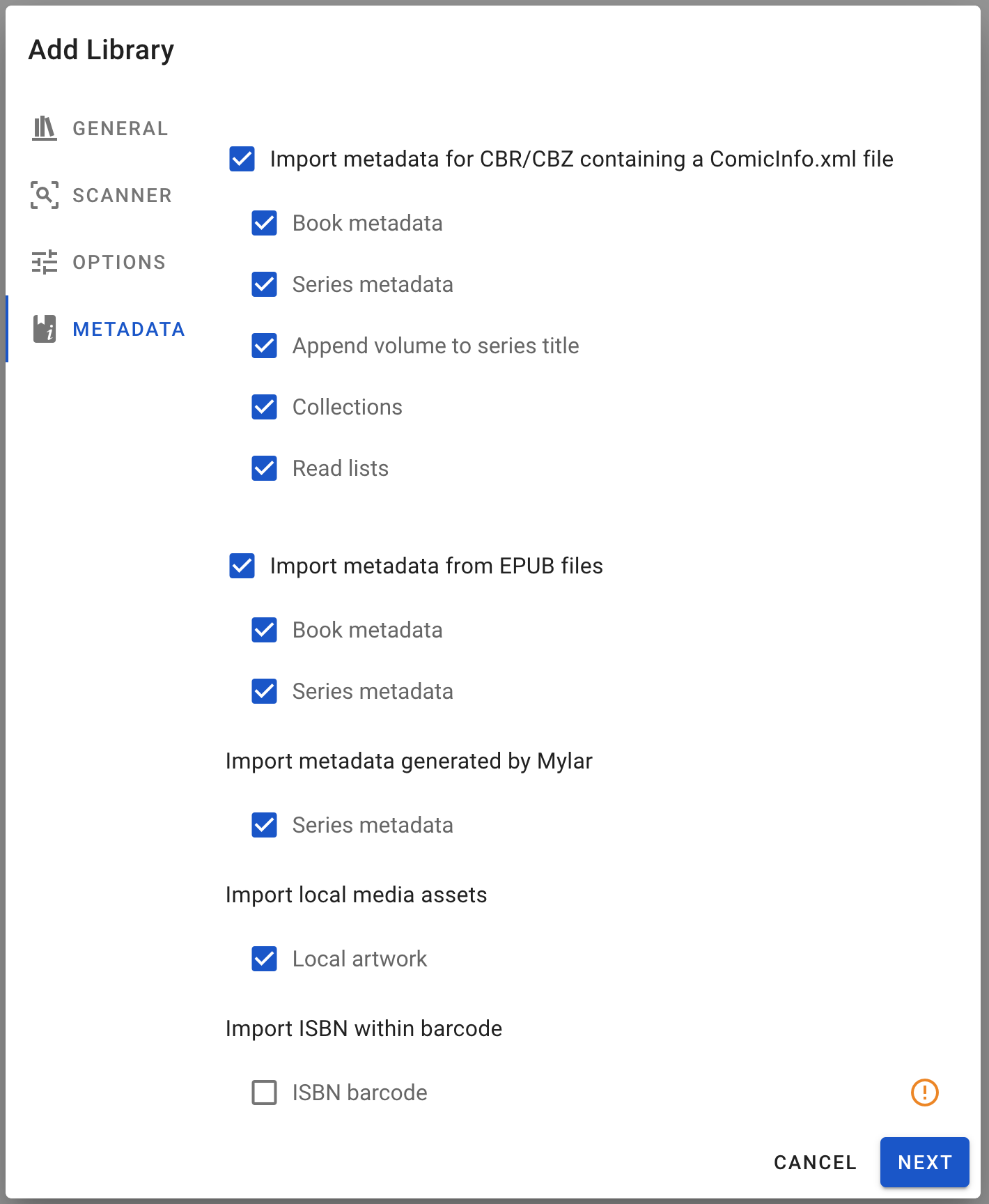
Add Library Dialog Metadata

Check the Refresh Metadata section to know more about what they do.

编辑库

To edit a library, look for the action menu icon and click on Edit.

warning

If you change the root folder of a library, and the new path doesn't share anything with the previous path, you will lose all your series, books and read progress for that library.

If you change the path for a parent directory of the current path, you will not lose your content.

If you change the path for a child directory of the current path, you will lose part of your content.

删除库

To delete a library, look for the action menu icon and click on Delete.

danger

Deleting a library will remove all series and books contained in this library. Read progress for all those books will be deleted.

你的媒体文件将不会受到影响。

此操作不可撤销。