Read with Kava
Kava is a third-party comic and book reader for iPhone and iPad. It connects directly to Komga and uses your library metadata to build a home screen with cover rows, recommendations, and Continue Reading.
Install and connect
You need iOS or iPadOS 18 or later and a Komga 1.23.5 or later server that your device can reach.
- Download Kava from the App Store.
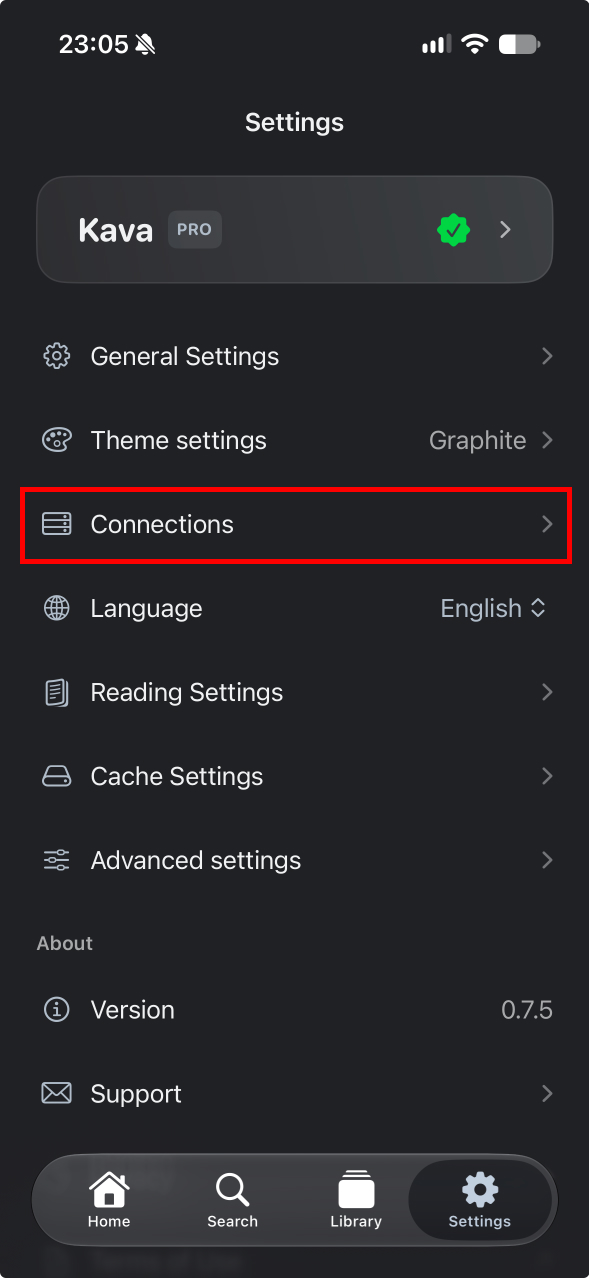
- In Settings, tap Connections.
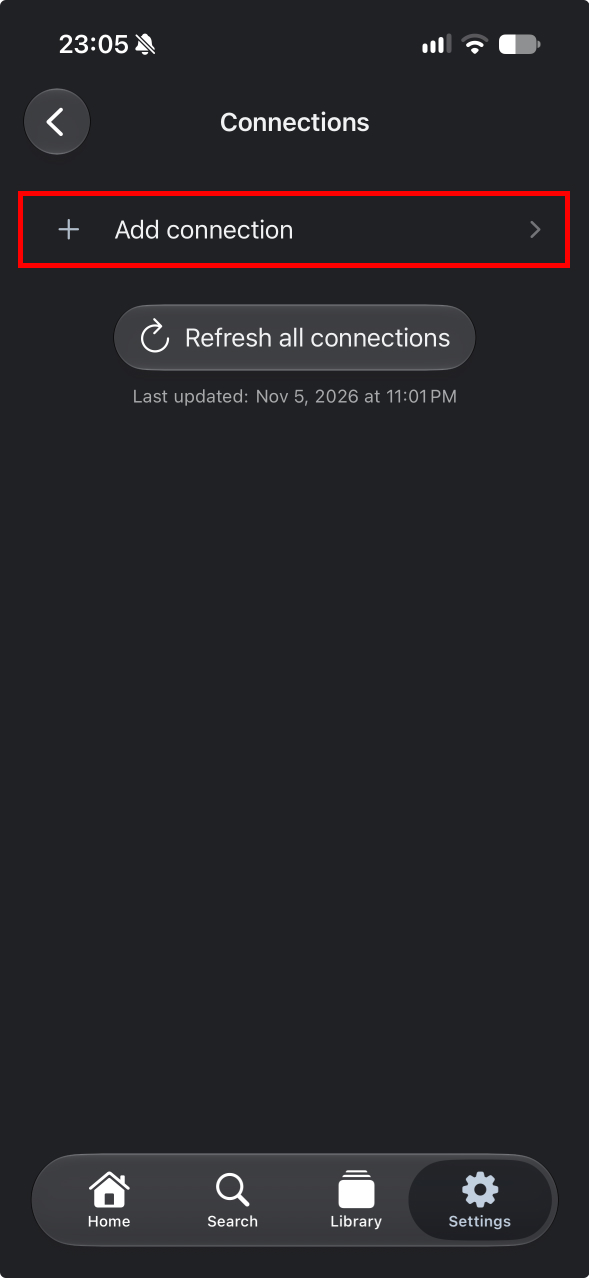
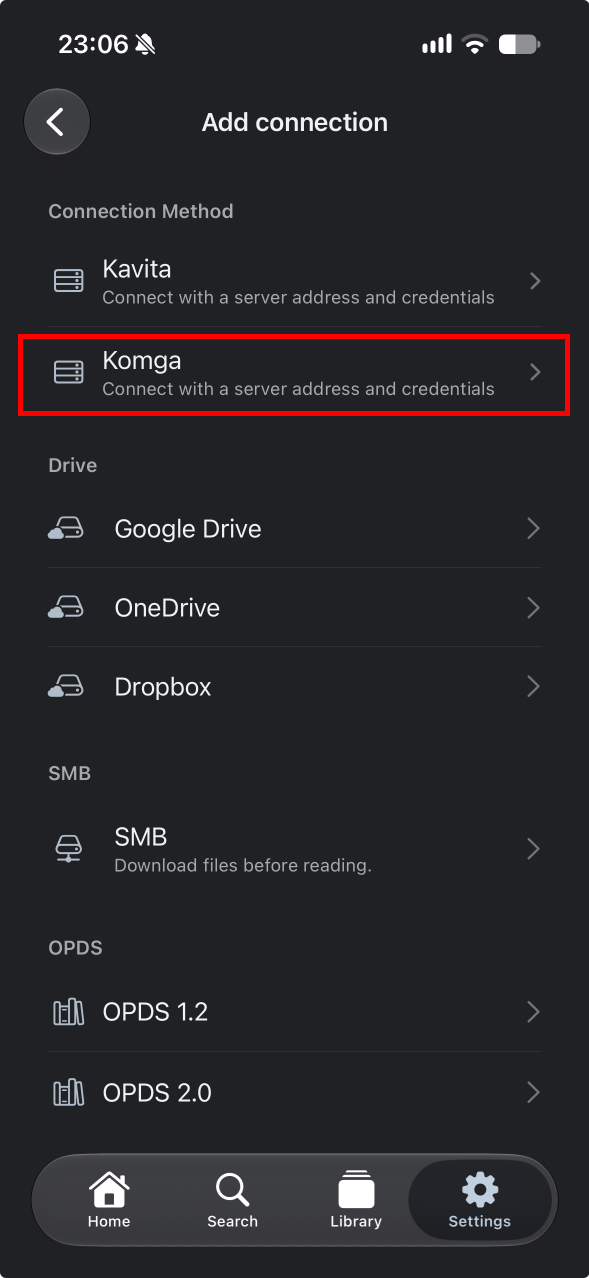
- Tap Add connection and select Komga.
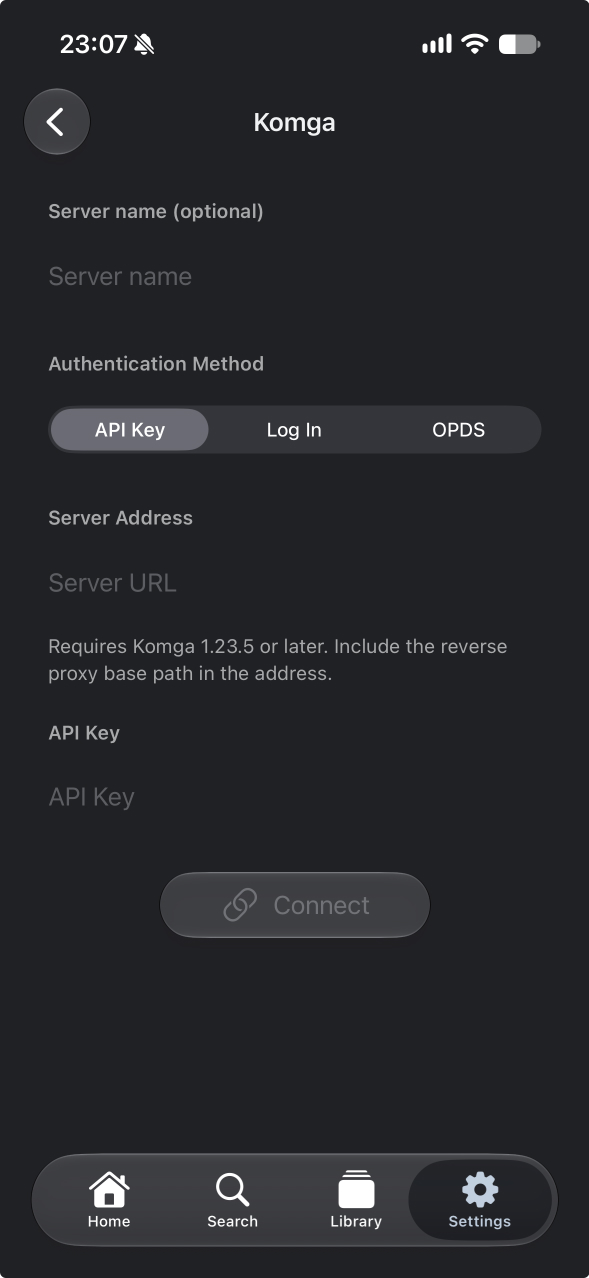
- Enter the server URL, such as
https://komga.example.com. Include the port and any reverse proxy base path if your server uses them. - Select API Key and paste a key from your Komga user settings, or select Log In and enter your Komga email address and password.
- Tap Connect, then open Library to browse your Komga libraries.
Browse and read
- Find comics through the Home tab, browse your Komga libraries by series, or search by title.
- Read with page turns or vertical scrolling and pick up where you left off with Continue Reading.
- One server connection and online reading are free. Kava Pro adds multiple connections and manual downloads for offline reading.
For help, see Kava support.